Telecommunications
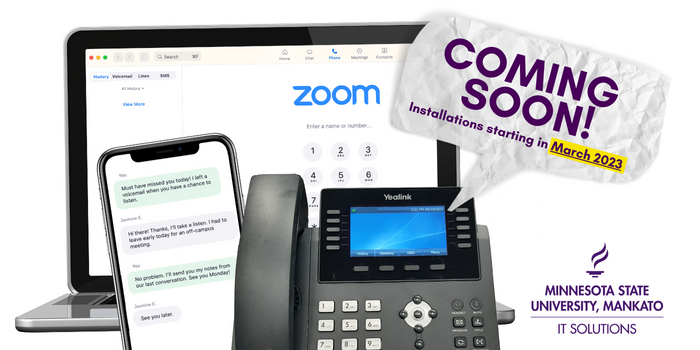
*Notice 3/6/2023: The information on this page below refers to the current Cisco phone system, which is soon to be replaced by Zoom Phone. Starting in late March 2023, the new Zoom Phone system will be implemented across the University. New training information will become available.

We offer comprehensive services for telephones, cell phones, voicemail, and more for faculty and staff at Minnesota State University, Mankato.
Phone services
Desk phones including voicemail service:
- Voicemail setup & guide
- Reference manual (models 7945 & 7965)
Cell phones:
- Annual Review Form (request form for cell phone or air card)
- Must be signed by employee, employee's supervisor, and authorized administrator (associate VP or above). Return to Julie Keck at ML 3010. This form will need to renewed each June.
- Cellular & Mobile Computing Devices Instructions
- Instructions on how to fill out the Annual Review Form above and imporant terms and conditions. Read before requesting.
- University cell phone policy
- Official policy on cellular and mobile computing devices from Minnesota State.
Conference calling:
And more services, including:
- Portable Wi-Fi phones
- Conference room phones
- Classroom and hallway phones
- Services for individuals with hearing impairments
Configure Your Phone
Most options can be accessed directly from your phone, but to configure certain tools like call forwarding if you're off campus, setting up speed dials, and more, log into the Cisco Portal.
Log in with your StarID and StarID password. If you don't currently have permission, contact Julie Keck.
Authorized Usage Guidelines
Personal Calls
Telephones are permitted to be used for very limited personal calls provided that there is no incremental cost for the call and must be done on personal time. Excessive use of personal calls may lead to disciplinary action.
Long Distance
Long distance calls are to be used for business calls only. State of Minnesota Statute strictly prohibits any and all personal long distance calls on state-owned telephones.
Training and Contact us
Need assistance with your phone? Receive training by contacting Julie Keck.
Julie Keck
Telecommunications Coordinator
julie.keck@mnsu.edu
507-389-2226
For feedback or concerns, please contact Bryan Schneider.
Bryan Schneider
Assistant CIO & Director of Technology Services
bryan.schneider@mnsu.edu
507-389-5993