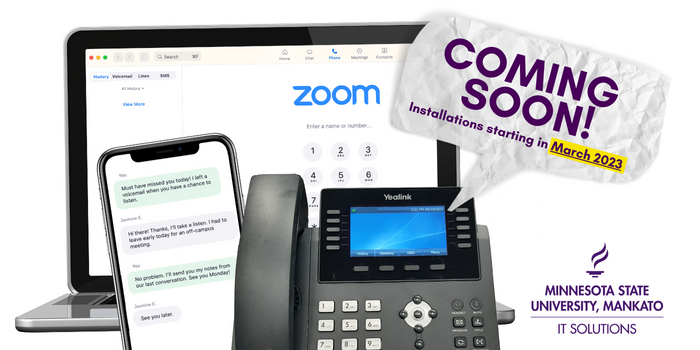
During the period when phones are being transitioned to the new phone system, the following rules apply:
Basic rule during transition:
If you get "Your call cannot be completeed as dialed" dial 9 + 389 + 4 digit campus number.
VoIP, or IP Telephony, is a converged voice/data technology that uses the data network to carry voice (telephone) traffic.
There are numerous compelling reasons. The need to support advanced network applications and emerging technologies with converged technology has become a reality in the industry and, particularly, within the university community. This state-of-the-art system will enable Minnesota State University to build a strong foundation for the future. In order to meet the growing demands of the university community, our current data network requires major upgrading. We will provide a more cost effective infrastructure by incorporating the voice requirements into this new converged technology. Costs will be controlled as the number of lines leased through HickoryTech will be greatly reduced. By sharing a common infrastructure, voice and data cabling, phone move charges, phone installation charges, and long distance charges will also be lowered. The change will also give us the ability to manage our phone system, enabling us to have access to more features and more applications (i.e., employees will be able to configure various features, such as speed dial, directly on the phone. They will also have the ability to program other changes, such as call forwarding, on the web). The upgrade to our computer network will allow for more reliability, improved security, and improved performance.
The overall plan is to replace all phones with a like-phone at no cost to the department, provide voice mail and new features to all employees, upgrade network equipment, and your overall monthly phone bill will be less than you currently pay. However, if the department requires more phones, or employees wish to upgrade, for example they upgrade from a single-line phone to a 7460 with 6 buttons, the department is expected to pay for the upgrade. Likewise, if faculty or staff need a soft phone in addition to an office phone, the department will need to purchase the soft phone software. This system is expected to save MSU over 1.5 million dollars over 5 years. If you've ever built a house, you know that your budget can easily be exceeded by changes and additions. Phone system expenses will be billed back to departments as a component of the monthly phone bill (see What will my monthly phone bill be? below). ITS will make every effort to accommodate users with the same functionality that they currently have (at a minimum) while lowering their monthly phone costs. The majority of employees will greatly benefit from VoIP features, increased productivity, additional safety, and lower costs. In either case, the key is to control excess costs during the implementation and deliver the project on budget, and pass the savings on to the university.
This will ultimately depend on the final cost of the system including all phones, installation, cutover costs, and incidental costs. Currently, a phone costs $17.35 for a phone line and $5.50 for voice mail for a combined cost of $22.85. The VoIP phone system is budgeted to cost $13 to $15 for a phone line including voice mail. (voice mail will be a no-charge item) The final monthly billing will not be known until the project design, implementation, and finance charges are complete.
Nearly all numbers will remain the same. However, the amount of numbers in the 389-xxxx blocks are nearly completely used up so some changes are needed. The numbers on dial-out modems, credit card validation machines, hallway and classroom phones will likely change and will not be direct-dial numbers from off campus. However, a pilot number will be available and you will then be prompted to dial the phone's extension. For the most part, internal dialing will remain the same (by simply dialing the person's extension) and phone numbers will remain unchanged.
Yes, with a state-of-the-art IP phone. Three types of IP phone sets have been selected to replace our current equipment. The type of phone you receive (listed below) will depend on your existing phone.
Most departments will also have several analog phones (i.e., in part-time offices and labs). Users remaining on an analog phone will be upgraded to an M9009 Meridian phone. This is a single line set, with call display, a message waiting lamp for voice-mail, and other enhanced programmable features.
The basic features on every phone line are currently being programmed into the new system. Enhanced features such as speed dial, call display, or distinctive ringing, can be customized by the end user. One of the most important features will be the ability to alert you in emergency situations such as tornado warnings, bomb threats, lockdown conditions, or other emergencies. Campus phone directories will be available on the phone's display. Integrated messaging will enable you to receive voice mail via your MavMAIL inbox. IP phones enable your phone to become an information center. Video conferencing is available at your desktop or laptop, and the capability to use your computer as your telephone while you are off campus is also availble using VoIP technology.
Yes. All fax numbers will remain with the current number. Provisions for migrating to digital fax servers will be implemented during the second phase of this project.
Yes, the procedure will remain the same but the access number will be different. The new number for retrieving voice mail is 389-xxxx. Note: on your Cisco phone you can just press the Mail soft key to retrieve your voice messages. If you want to access your voice mail from someone else's phone, you will need to call the voice mail access number 389-xxxx. Alternatively, you can access voice mail through Outlook.
All those with long distance privileges are able to place a call in the same manner -- by simply dialing 9, then 1 and the number. However, if you presently use an authorization code to dial long distance, then you must press *9 and then a 4 digit authorization code, and then the number you wish to reach. Note: 4 digits must be entered for the authorization code. Therefore if your authorization code contains only 2 or 3 digits, then leading zeros must be entered. (For example, if your authorization code is 86, then you must enter 0086.)
No. Even though your computer will connect to your new phone using the same computer jack, the transmission of your phone calls will be carried on a separate virtual local area network (VLAN) that will provide additional scurity to both your computer and your phone.
Yes. Your department coordinator will respond to all of your questions/concerns. Online tutorials are currently available and classroom sessions will be offered through ITS. Pamphlets and instruction guides will also be distributed along with the deployment of your new phone.
Yes! Power is supplied by the network. However, if you choose to use a standard cordless phone instead of a VoIP phone, your cordless phone will be unusable when power is out.
Security of voice communication is a major concern for ITS. As a prerequisite for VoIP, we've implemented much higher security for the network that defends against eavesdropping for not only voice, but all data communications. We've done this by implementing Cisco's recommended security standards. Cisco has recently certified security of their voice systems and has received some of the highest security rating. View ratings by Silicon and Miercom (33KB PDF).